The estate operating system

The details of a great house, quietly handled.

Everything a house runs on, in one place, on everyone's phone. The routines, the procedures, the spend, the cellar, the record of who did what. Nothing left to memory or a group chat.

Built by an estate manager, for the people who run the house.

The operating system for the private estate.

Estate operations, quietly handled.

How it works

A house runs on rhythm. So does Tero.

Every morning, Tero generates the day's routines from your templates and assigns them by residence, by role, by shift. Staff see exactly what's theirs. You see everything.

7:30 AM

The morning sets up

The day's tasks appear automatically. Opened curtains, fresh flowers, the principal's breakfast, each one tagged to the right person before they arrive.

3:00 PM

The afternoon turns over

Shift changes without a handover meeting. The evening's setup, the table, the wine, the turndown are already waiting, already assigned.

After service

You see what was done

Every completed task, by whom and when. Every change to it, kept permanently. Oversight without standing over anyone's shoulder.

One search box

Ask the house a question.

One box that reaches every record the estate keeps. The cellar, the wardrobe, the vendors, the vehicles, the procedures. Ask in the words you'd use out loud, and Tero gives you the answer, not a folder to go looking through.

Where is my Prada blouse?
Navy silk blouse, Main House dressing room, rail 3. Photographed into the wardrobe on May 4.
How many bottles of the Barolo are left?
Nine bottles of the 2016 Barolo in the cellar. Two were opened last month.
Who do we call about the pool?
Coastal Pools, (631) 555-0111. They're the estate's pool and spa contractor.
When is the Range Rover's inspection due?
October 14. The registration comes up for renewal the same week.
What it does

One house, fully documented.

The things a great estate manager keeps in their head, now kept somewhere they can't be lost when you take a day off.

Daily routines

Build a checklist once; Tero generates it every day, by residence, by role, by shift. Morning and afternoon, butler and housekeeper.

Procedures

How the house is run, written down and translated into the languages the household speaks. A new hire learns the standard in the right order, in their own language, and no one has to be told twice.

Staff & roles

Every person signs in with their own login, and sees only what's theirs. A head housekeeper sees more. When someone leaves, one tap closes their access.

Spend & budgets

What the house is spending, against targets set by residence and category, so the end of the month is never a surprise.

Cellar & stock

The wine list with producer, region, and what each bottle pairs with, plus the cupboards behind it, counted and kept current.

Reminders & the log

Renewals, expiries, and unfinished work reach people by email, text, and phone notification. Every task change is kept permanently, so you can see who did what and when.

And the rest of the house

ArrivalsWho is staying and when, flagged three days ahead so there is time to shop
PropertiesCodes, protocols, and the quirks of each residence
MaintenanceWhat has been fixed, and by whom
VehiclesCars and their renewals
PetsVet dates, feeding, medication
WardrobeEvery piece, photographed and findable
VendorsWho the estate calls, and what they charged last time
ServicesStanding arrangements
AccountsThe subscriptions the house pays for

The whole morning, before you've had coffee

Every residence, how far along it is, which shift is behind, who is on today, who is arriving, and what the house has spent this month, all on one screen.
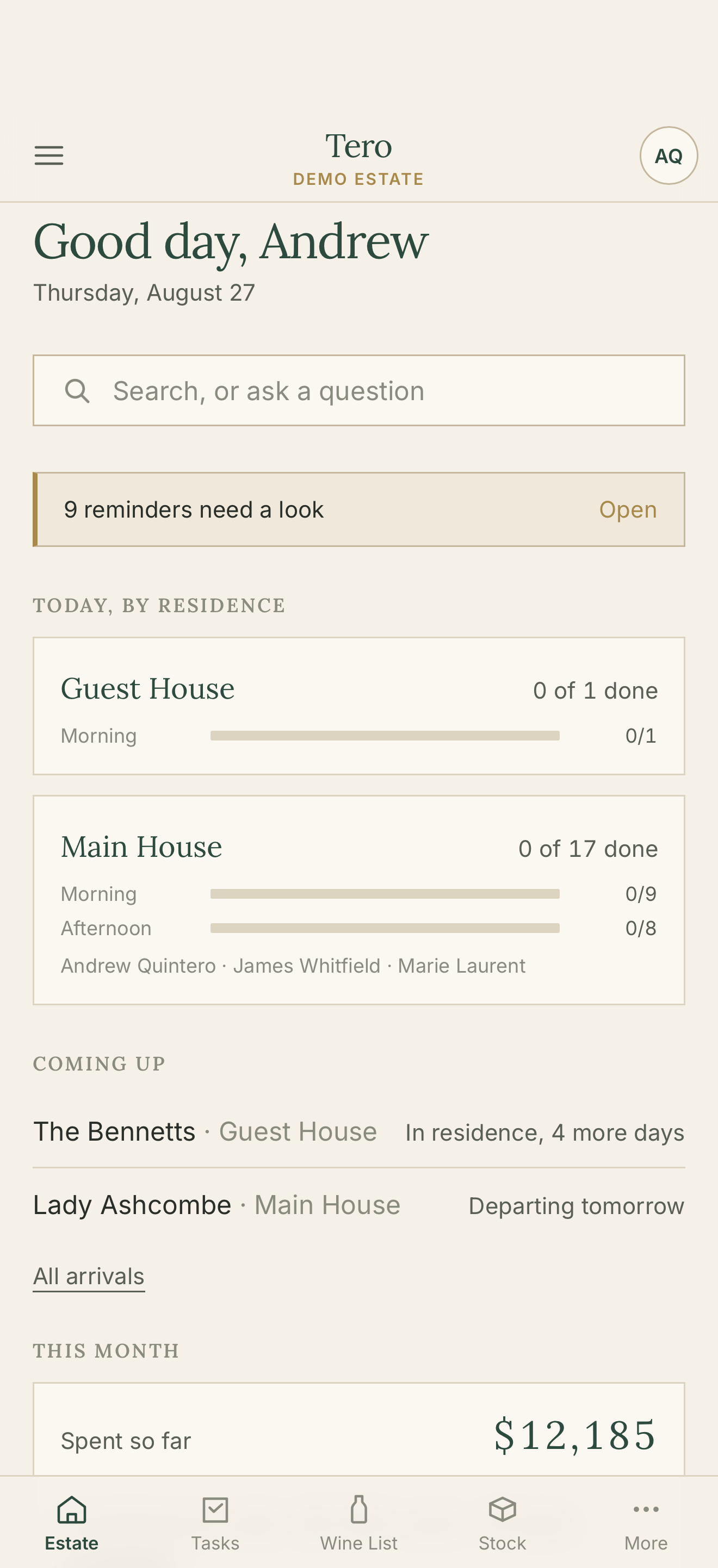
The Tero estate dashboard showing today's progress by residence, upcoming arrivals, and month-to-date spend

Every task, with the detail that matters

Each card carries the full instruction and the role responsible, so a new hire knows exactly how the house likes it done, first time.
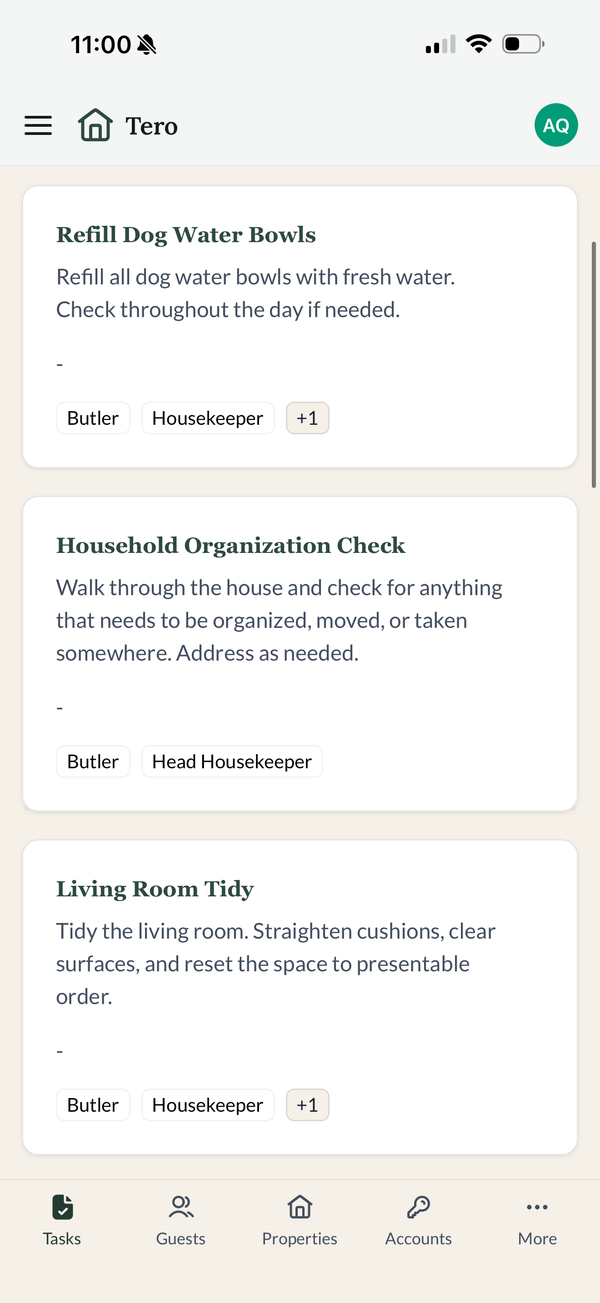
Tero task cards showing instructions and assigned roles

One menu, and the house is in it

A short, plain list of the things a house actually has, grouped the way you'd think of them. Never more than two taps from wherever you are.
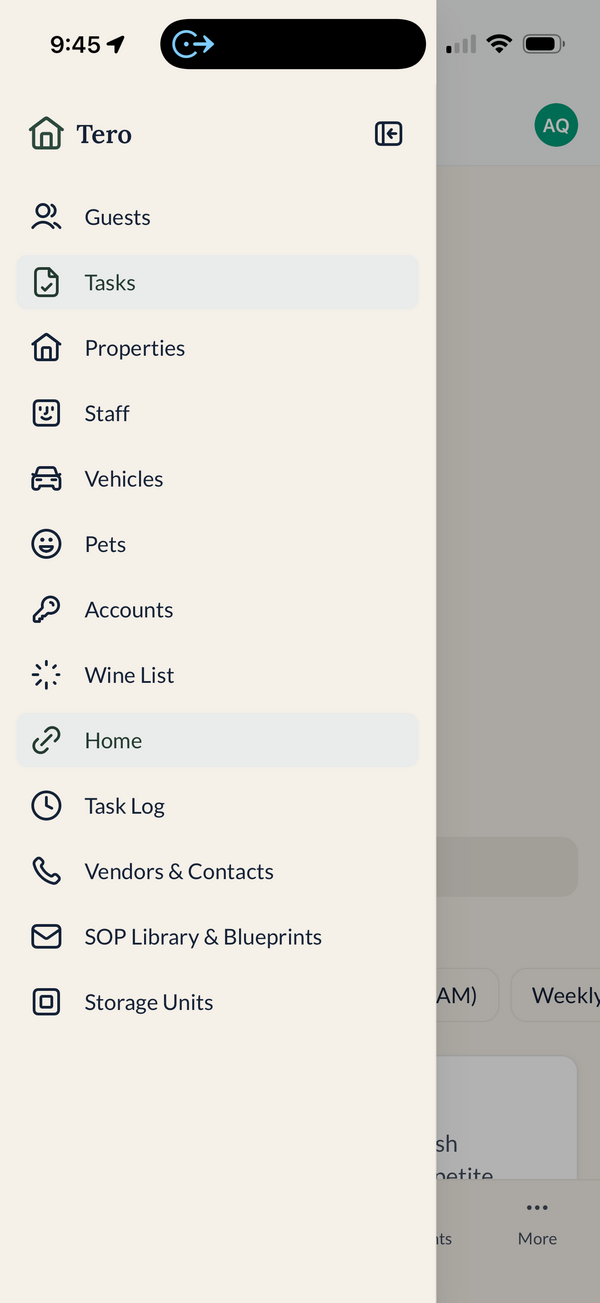
The Tero navigation menu listing every part of the household
Who it's for

Tero was built behind the green baize door, by someone who has run the house, not just sold software to it.

Discretion by design

Built for houses that guard their privacy.

One household, sealed off from every otherEach household's records are isolated. No other household on Tero can reach them, and no query can cross the line between them.
Codes go phone to database, nothing in betweenGate codes, alarm sequences, and household records travel straight from the app to the database, never through the web server.
Every change is kept, permanentlyWho changed what, and when. The log cannot be edited or quietly cleared, by staff or by us.
In their words
Tero replaced three different systems we'd been patching together. The morning routines alone save us an hour a day.
Estate Manager · Private Residence, New York
The wine room looks amazing. It's so easy to keep stock and know what we have, wherever I go.
Butler · Private Estate, Southampton, NY
The Gen X in me was a little skeptical at first, but Tero quickly won me over. Having all of the house information in one organized place has made a real difference. It keeps everyone informed, improves communication, and adds a level of accountability that helps ensure things get done consistently and correctly.
Estate Manager · East Hampton, NY
Getting started

You start with a working system, not an empty screen.

The worry is always the rollout: the records to move, the staff to train, the weeks of half-use before it sticks. Here is what actually happens.

i.

Bring what you already have

Spreadsheets, staff lists, inventories, even photographs of documents get read in and turned into draft records. Nothing goes live until you have reviewed and approved it. Allergies are the deliberate exception: those are typed by hand, word for word, never imported.

ii.

Set up with you, not handed over

Your estate configured, your records loaded and reviewed together, staff accounts created, and the household walked through its first week. Everything on this page works today. None of it is a roadmap promise.

iii.

Nothing for staff to install

Tero saves to the home screen and opens like any other app. No app store, no IT department, nothing for a housekeeper or a groundskeeper to configure. They sign in, in their own language, and the day is there.

Book a demo

See Tero set up for a house like yours.

Tell us a little about the household. We'll walk you through Tero, personally, and set up a trial if it's a fit.

Request a demo

We reply within one business day.